🧠 ReMemory Guide
How to create bundles and recover files
There is also a CLI guide.
Overview
ReMemory is a digital safe with multiple keys. You choose who holds them and how many must come together to open it.
Under the hood, it encrypts your files with age, splits the key among people you trust, and gives each person a self-contained bundle for recovery.
Recovery is opening a file in a browser.* No servers, no need for this website to exist.
* Time-locked archives need a brief internet connection at recovery time.
Why ReMemory
You probably have digital secrets that matter: password manager recovery codes, cryptocurrency seeds, important documents, instructions for loved ones. What happens to these if you're suddenly unavailable?
Think of it like a safe deposit box that needs two keys to open — no single person holds enough to get in alone.
Traditional approaches have weaknesses:
- Give one person everything — a single point of failure and trust
- Split files manually — confusing, error-prone, no encryption
- Use a password manager's emergency access — similar to "give one person everything", also relies on the company existing
- Write it in a will — becomes public record, slow legal process
ReMemory takes a different approach:
- No single point of failure — requires multiple people to cooperate
- No trust in any one person — even your most trusted friend can't access your secrets alone
- Offline and self-contained — recovery works without internet or servers*
- Designed for anyone — clear instructions, not cryptographic puzzles
Creating Bundles
Three steps. Everything happens in your browser — your files never leave your device. Open the bundle creator to get started.
Step 1: Add Friends
Add the people who will hold pieces of your recovery key. For each, provide a name and optionally contact information.
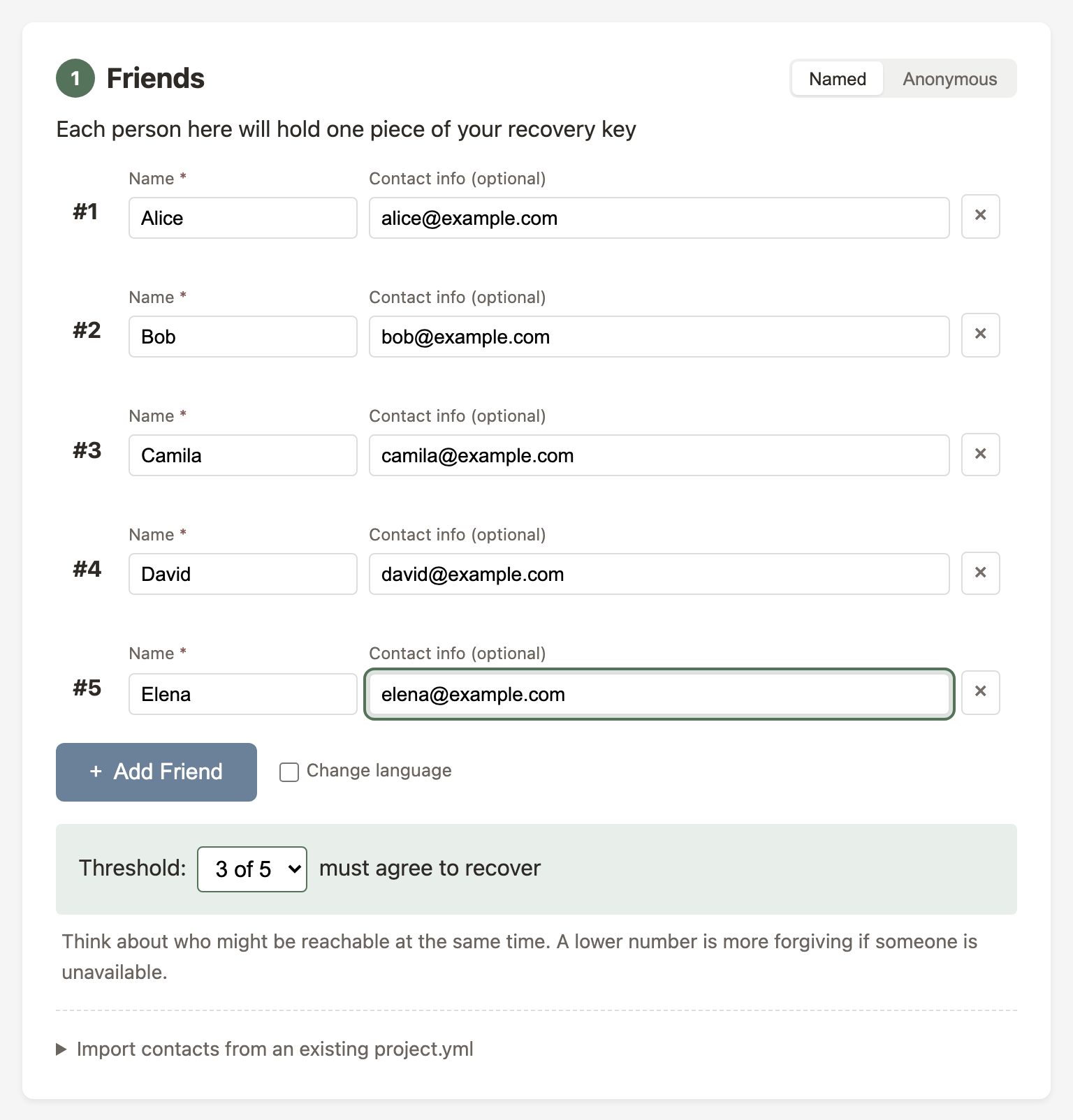
Then choose your threshold — how many people must come together to recover your files.
- 3 people, threshold 2: The simplest setup
- 5 people, threshold 3: A good balance
- 7 people, threshold 4–5: More secure, more coordination
Step 2: Add Files
Drag and drop the files or folder you want to protect.
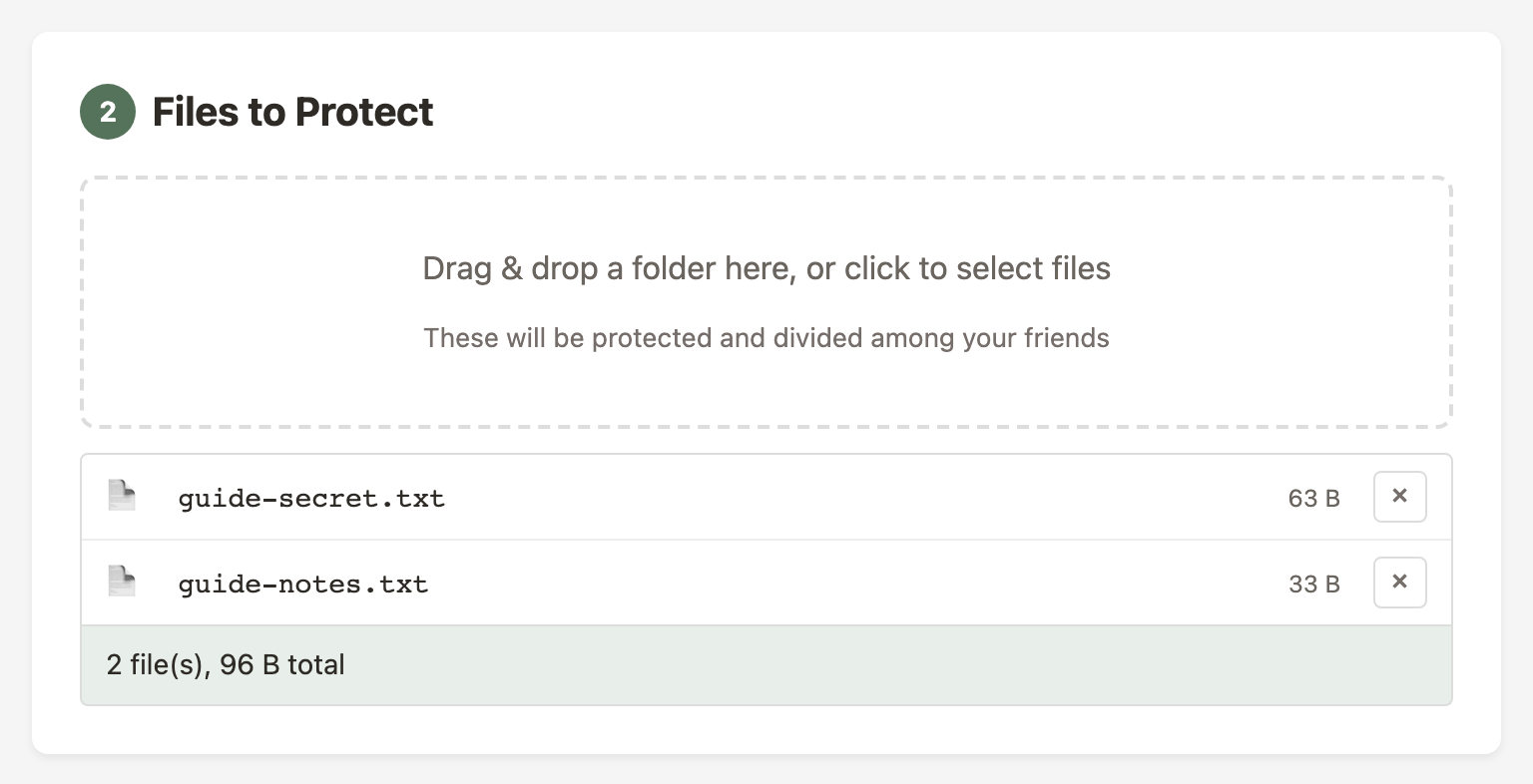
Good candidates:
- Password manager recovery codes
- Cryptocurrency seeds/keys
- Important account credentials
- Instructions for loved ones
- Legal document locations
- Safe combinations
Step 3: Generate Bundles
Click "Generate Bundles" to encrypt your files and create a bundle for each person.
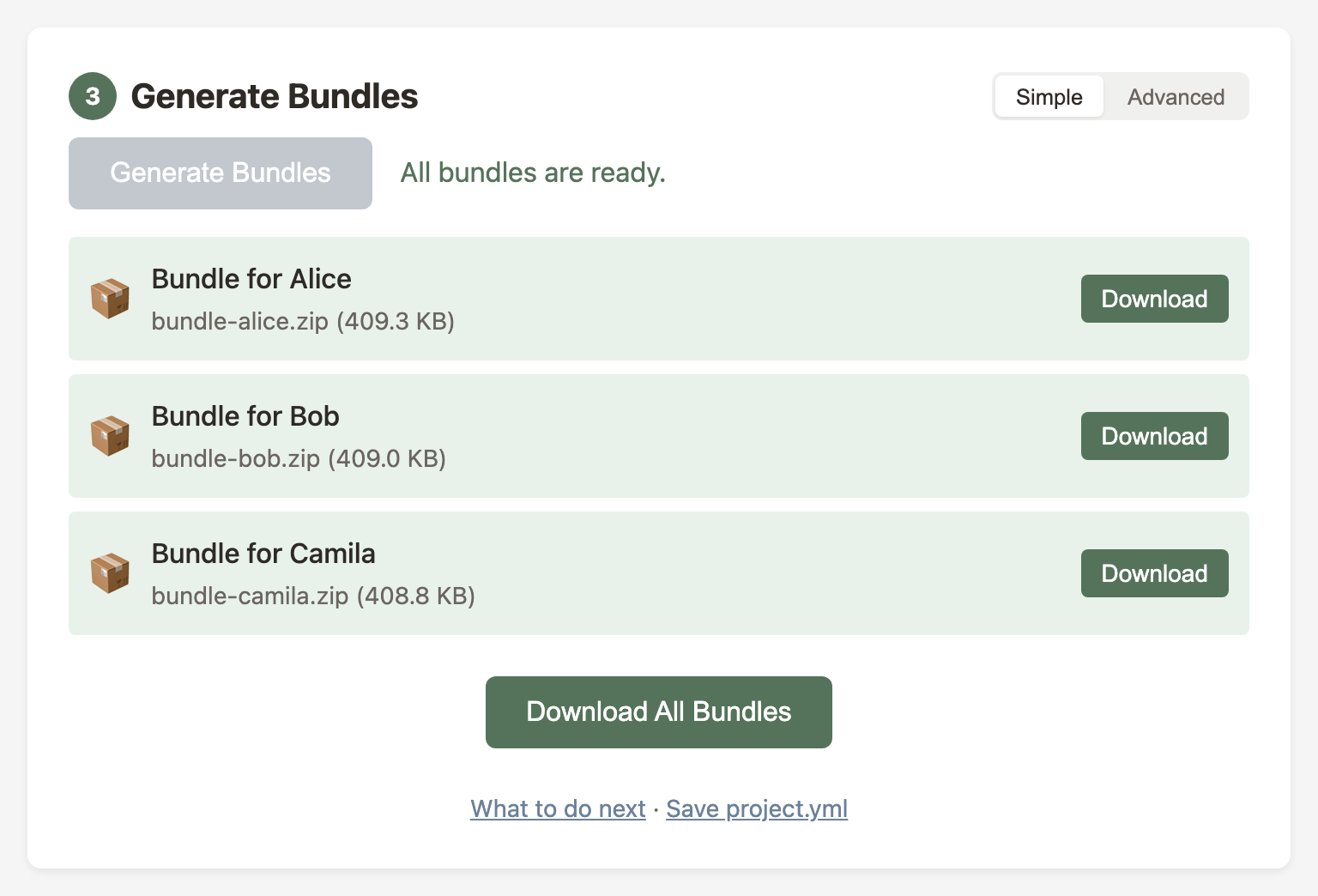
Each bundle includes the full recovery tool. It works even if this website is gone.
Distributing to Friends
Send each person their bundle however you prefer:
- Email: Attach the ZIP file
- Cloud storage: Share via Dropbox, Google Drive, etc.
- USB drive: Physical handoff
- Encrypted messaging: Signal, WhatsApp, etc.
If you send bundles by email or messaging, delete the messages from your sent folder once each friend confirms receipt. Otherwise your account ends up holding a copy of every piece — defeating the point of splitting them.
After Creating Bundles
Once your bundles are ready, there are a few things worth doing before you put this out of your mind:
- Verify each person received their bundle and can open
recover.html - Tell each person what this is, why they have it, and that they should keep it safe. They cannot use it alone — they will need to coordinate with others.
- Keep a copy of
MANIFEST.agesomewhere safe — it's just encrypted data, useless without enough pieces - Save your
project.ymlso you can regenerate bundles later - Print
README.pdfas a paper backup before sending the digital bundle. Paper doesn't need adapters or power. - Set a yearly reminder to check in — see Keeping Bundles Current
- Consider running a recovery drill — it's the only way to know your plan actually works
Recovering Files
If you're here because someone you care about is no longer available — take a breath. There's no rush. The bundles don't expire, and the process is designed to be done at your own pace.
If you don't have a bundle yet, you can open the recovery tool directly — you'll add pieces manually as you collect them from other holders.
What Friends Receive
Each bundle contains:
Each bundle is personalized — the friend's share is pre-loaded, and a contact list shows who else holds pieces. When the encrypted data is small enough, it's embedded too.
Path A: I Have the Bundle ZIP
The simplest path. If you have the bundle ZIP (or the files from it):
Extract the ZIP and open recover.html
Open it in any modern browser. Your share is already loaded.
Load the encrypted manifest
For small archives (≤ 10 MB), this is automatic — the data is already embedded. Otherwise, drag MANIFEST.age from the bundle onto the page.
Coordinate with other friends
The tool shows a contact list with other friends' names and how to reach them. Ask them to send their README.txt.
Add shares from other friends
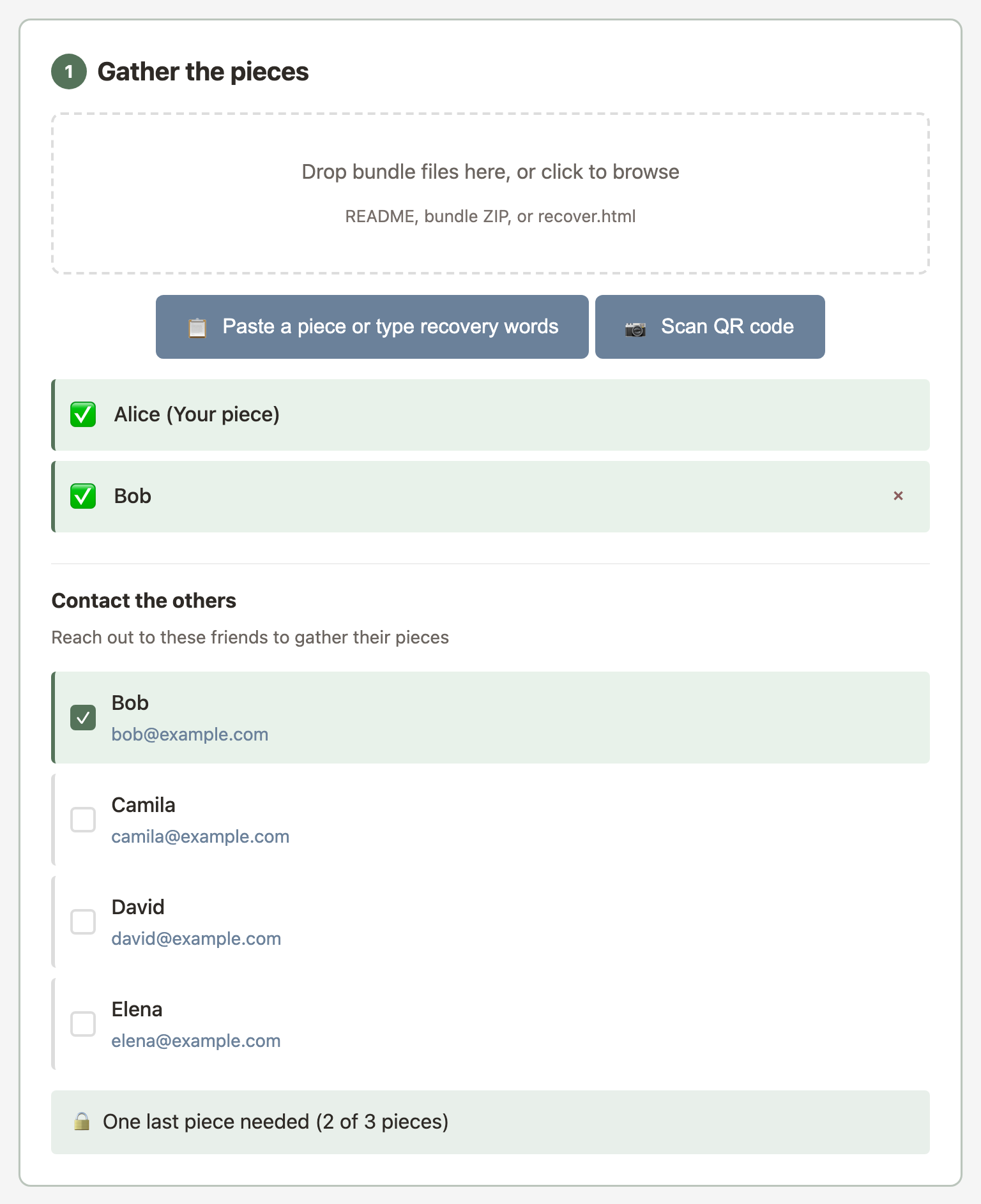
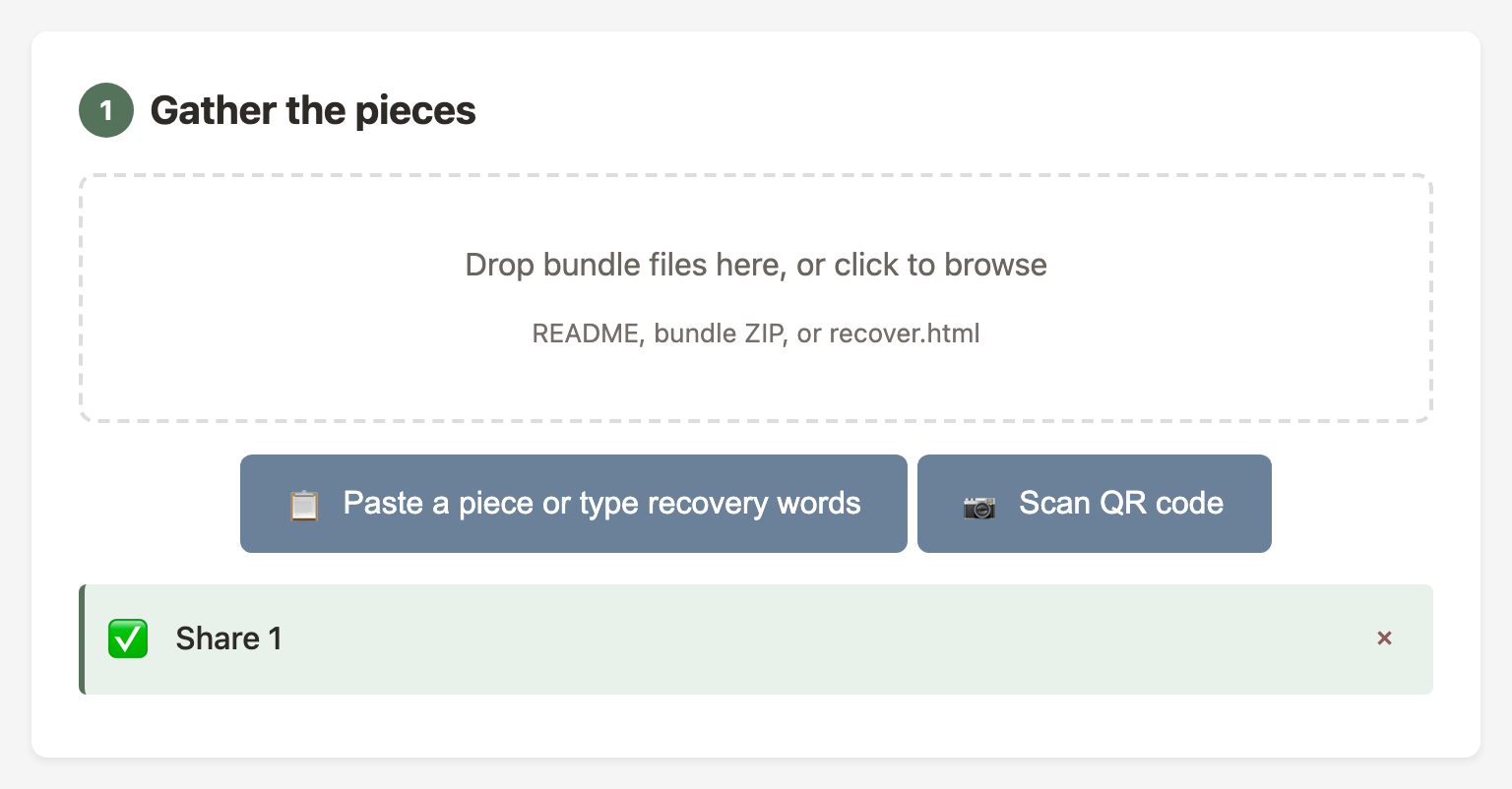
For each friend's piece: drag their README.txt onto the page, paste the text, or scan a QR code from their PDF. A checkmark appears as each piece is added.
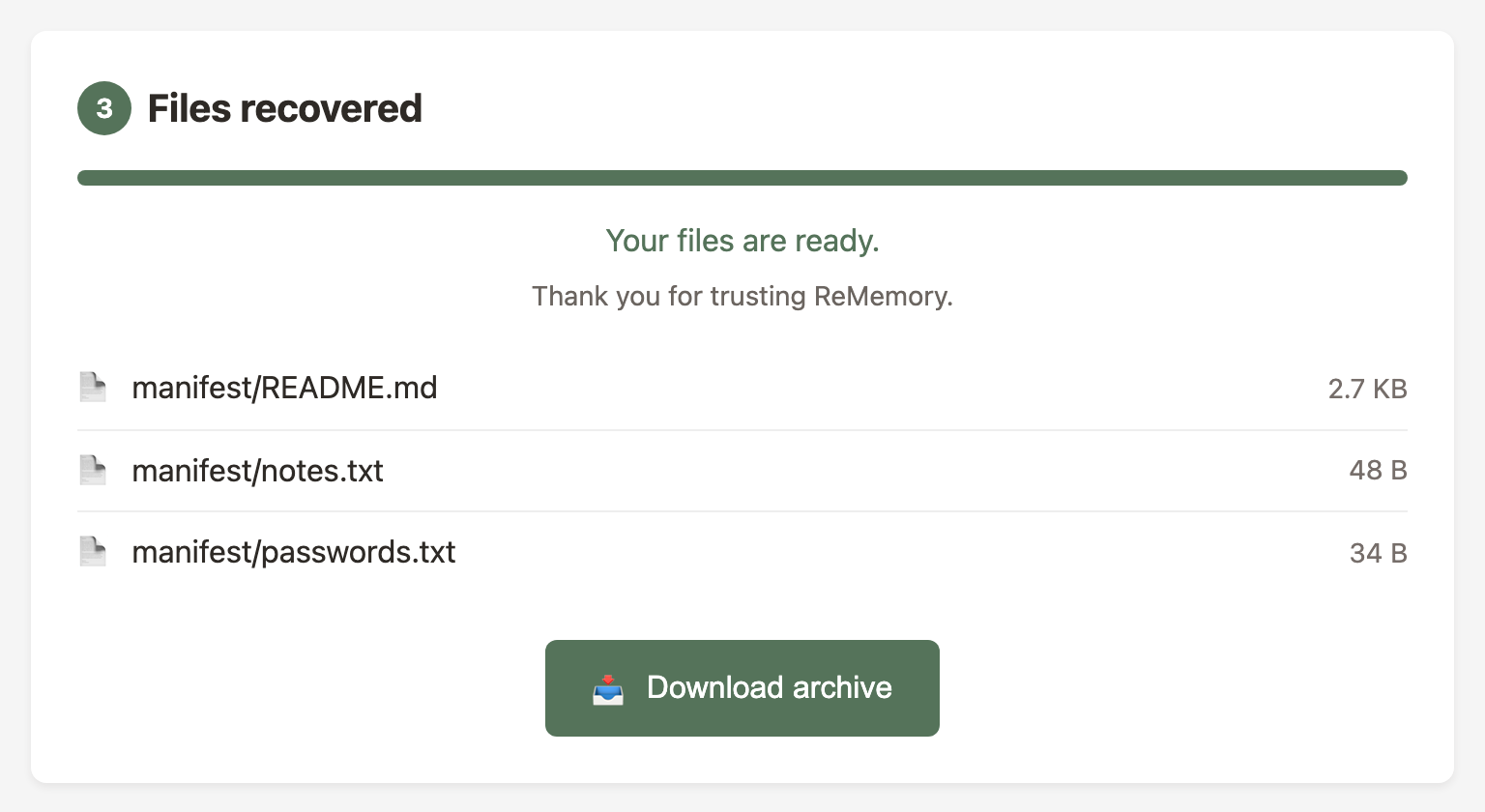
Recovery happens automatically
Once enough pieces are gathered (e.g., 3 of 5), recovery starts on its own.
.zip bundle, drag it onto the page — both the piece and the archive are imported at once.
Path B: I Have a Printed PDF with Words
Each printed PDF includes your share as a list of numbered words. Type them into the recovery tool — no camera or scanner needed.
Open the recovery tool
Visit the URL printed on the PDF, or open recover.html from any friend's bundle.
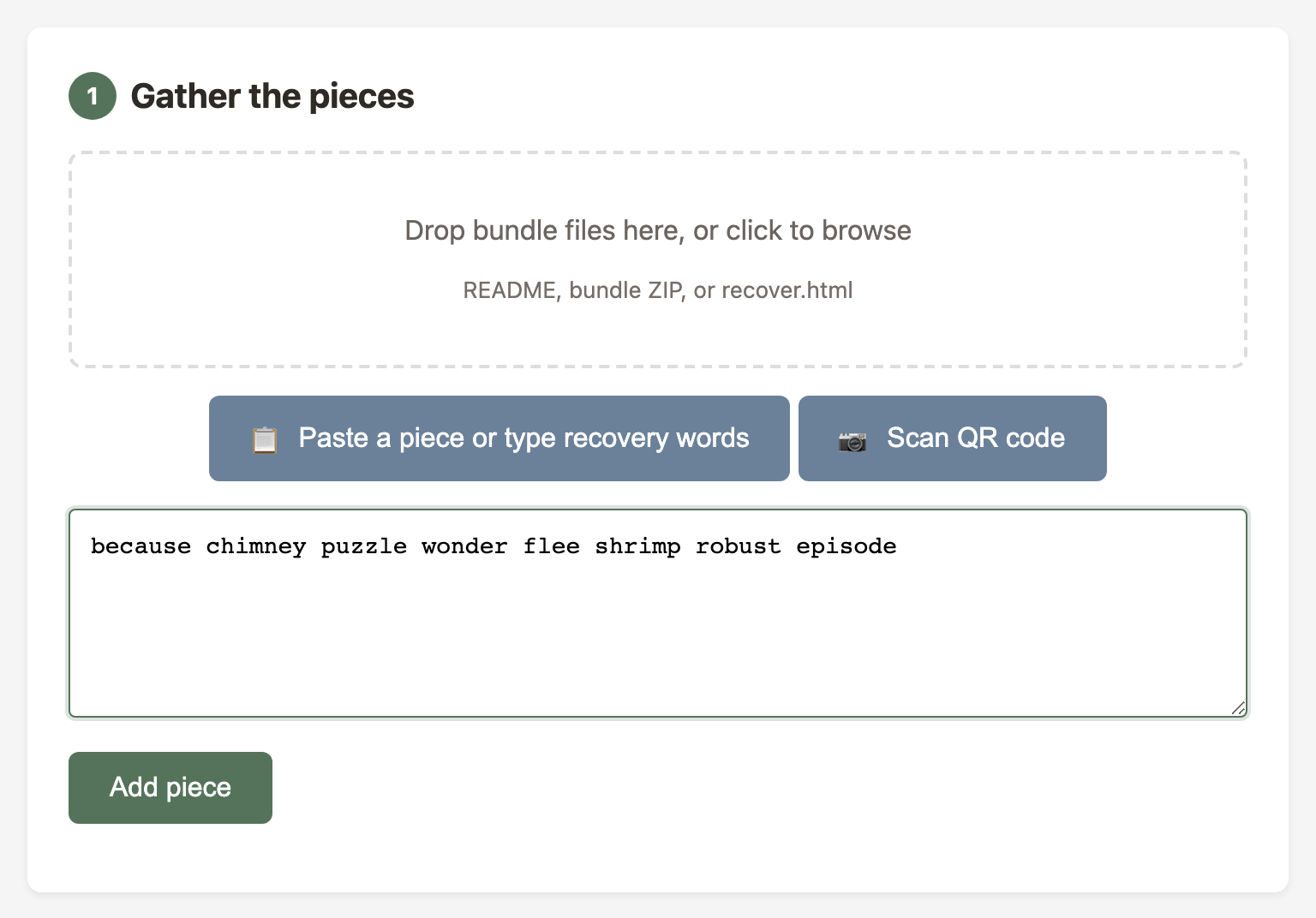
Type in your recovery words
Find the word list on your PDF and type the words into the text area. You don't need the numbers — just the words, separated by spaces.
Load the encrypted manifest
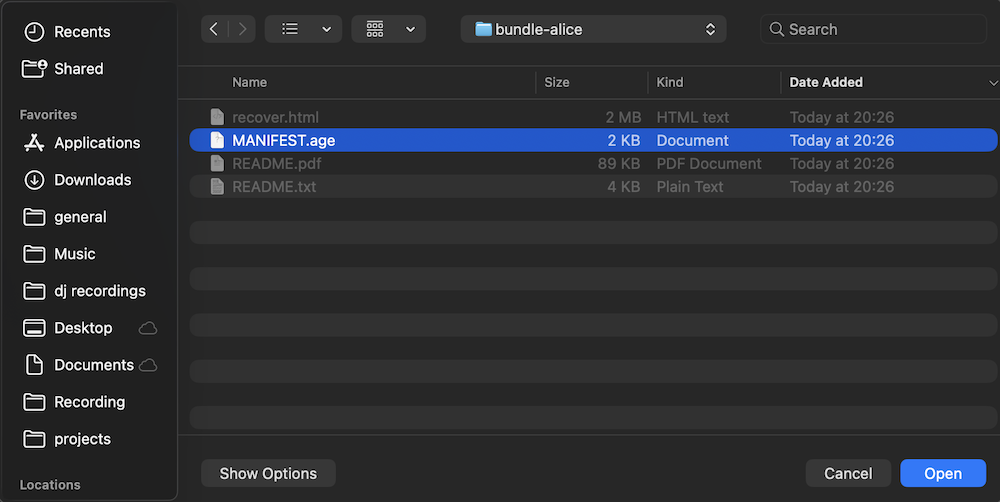
You may need the MANIFEST.age file — drag it onto the page or click to browse. If you don't have it, any friend can send theirs. Every bundle has the same copy.
Collect shares from other friends
Contact other friends and ask for their pieces. They can send their README.txt, read their words over the phone, or you can scan their QR code.
Recovery happens automatically
Once the threshold is met, decryption starts immediately.
Path C: I Have a Printed PDF with QR Code
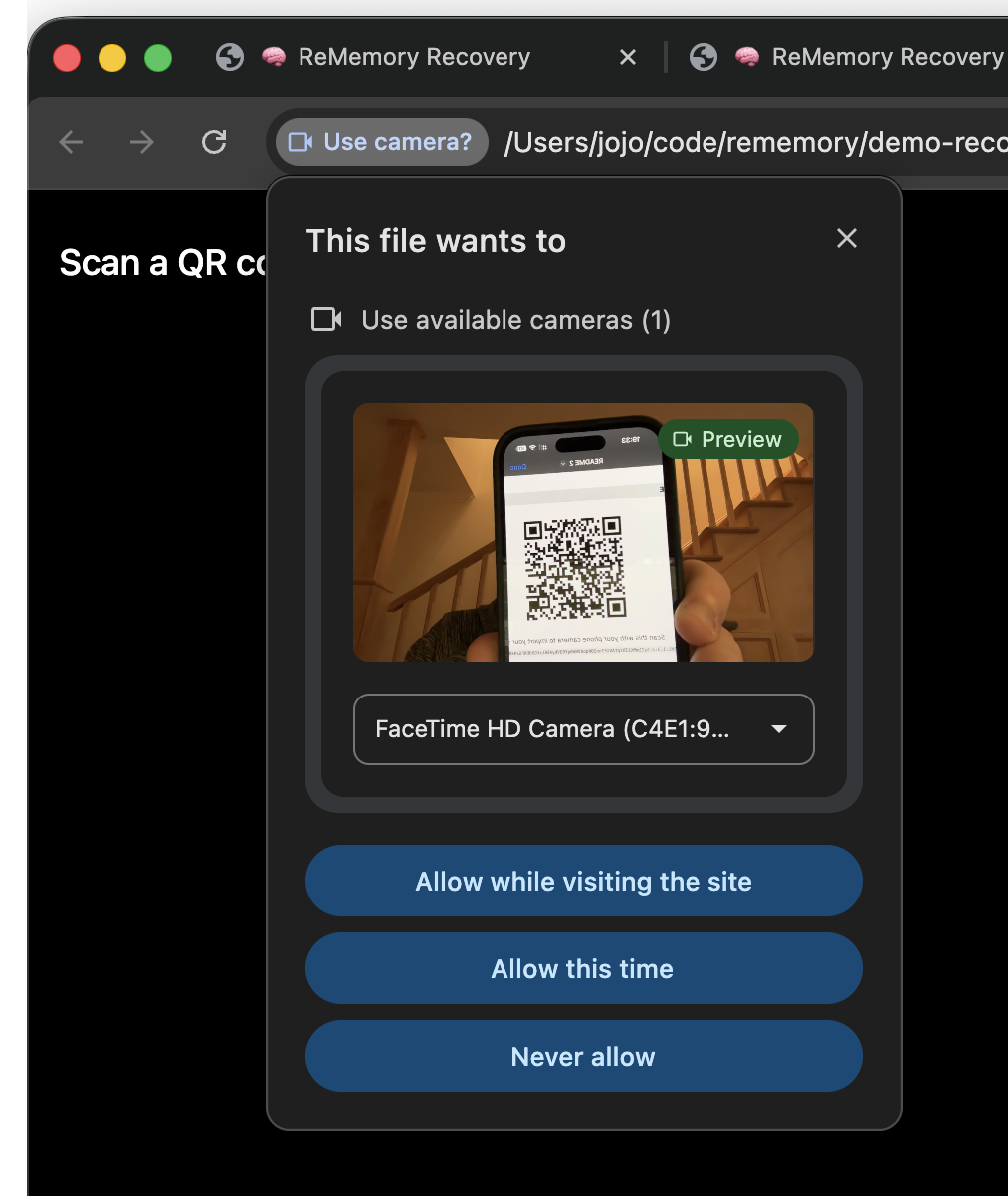
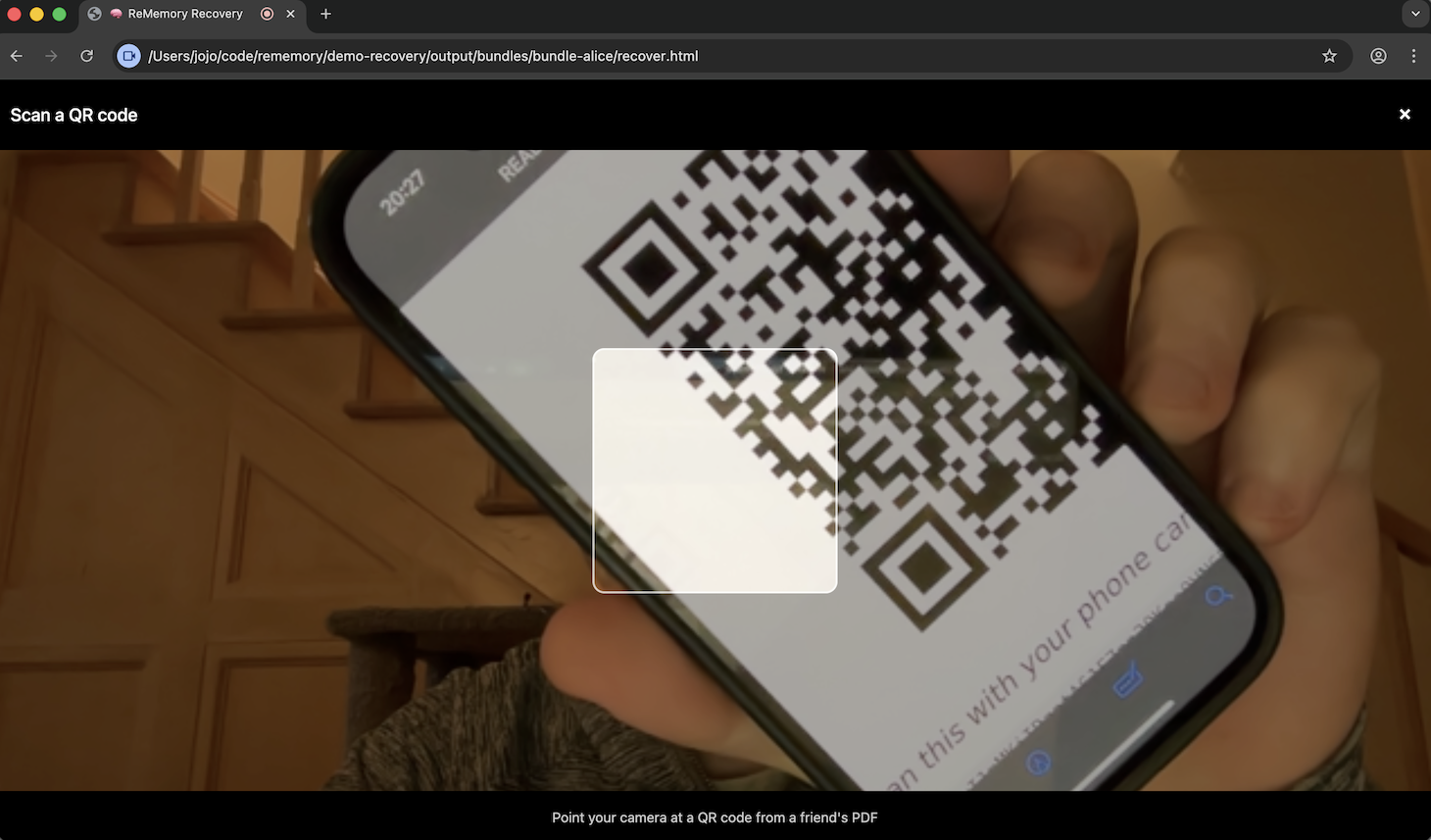
If your device has a camera, scan the QR code on the PDF to import your share directly.
Open the recovery tool
Scan the QR code with your phone camera — it opens the recovery tool with your share pre-filled. Or visit the URL on the PDF and type the short code shown below the QR code.
Load the encrypted manifest
You may need the MANIFEST.age file — drag it onto the page or click to browse. If you don't have it, any friend can send theirs. Every bundle has the same copy.
Collect shares from other friends
Contact other friends and ask for their pieces. They can send their README.txt, or you can scan their QR code.
Recovery happens automatically
Once the threshold is met, decryption starts immediately.
- Works entirely offline*
- Nothing leaves the browser
- Friends can be anywhere — they just need to send their README.txt files
Best Practices
Choosing Friends
- Longevity: People likely to be reachable in 5–10 years
- Geographic spread: Not all in the same place
- Technical ability: Any mix is fine — the tool is designed for everyone
- Relationships: Will they cooperate with each other?
- Trust: A single piece reveals nothing, but you're trusting them with responsibility
Security Considerations
- Don't keep all bundles together — that defeats the point of splitting
- Consider printing
README.pdf— paper survives digital disasters - Save
project.ymlif you want to regenerate bundles later
Storing Bundles Safely
Bundles are small (under 10 MB) and designed to be stored in everyday places. Here's what works well:
- Email is a surprisingly good option. Most people keep the same email address for decades, and bundles are small enough to attach. Many email providers retain messages indefinitely.
- Cloud storage (Google Drive, Dropbox, iCloud) works well as a secondary copy.
- USB drives can work, but keep in mind that connectors change over time (USB-A is already giving way to USB-C) and flash memory can degrade if left unpowered for years. Not ideal as the only copy.
- Paper is the most durable option. Printing
README.pdfgives your friends a copy that doesn't need adapters, power, or any working device.
The best approach is redundancy — email plus paper, or cloud plus paper. More than one copy, in more than one form.
Keeping Bundles Current
Set a yearly reminder to check in with your friends. Confirm they still have their bundles and update contact details if anything has changed.
When your files change, create new bundles and send them. The old bundles won't open the new archive, so there's no risk in leaving them around — but ask friends to replace theirs to keep things tidy.
When contacts change — someone moves, changes their phone number, or you want to add or remove someone — same thing: new bundles, ask people to delete the old ones.
Between updates, keep your source files in an encrypted vault — tools like Cryptomator or VeraCrypt work well. Don't leave plaintext copies sitting in a regular folder.
Think of it like updating your emergency contacts. Brief, periodic, worth doing.
Recovery Drills
Nobody tests their backup plan. A recovery drill changes that — and it turns out, it's basically an escape room.
Create a test bundle with a harmless secret (a photo, a message, a recipe). Hand out pieces to your friends. Set a timelock if you want a real countdown. Then step back and let them figure it out: coordinate, combine pieces, unlock the files — without your help.
What you learn:
- Can your friends actually find their bundles when they need them?
- Do they understand the instructions, or do they get stuck?
- Can they reach each other without you coordinating?
A drill that goes smoothly means your real plan will too. A drill that goes badly is a gift — you found the problem before it mattered.
Revoking Access
Once a piece has been distributed, it cannot be revoked. This is by design — there is no server, no central authority.
If you need to change who holds pieces:
- Create new bundles with a new set of friends and a fresh key
- Send new bundles to the friends you still trust
- Ask every remaining friend to delete their old bundle and replace it with the new one
The same applies when secrets change. New bundles mean a new key and new pieces. Old pieces won't open the new archive, but they still work with the old one. Make sure friends aren't holding on to old copies.
About project.yml
When you create bundles, your project is saved in a project.yml file. This file stores:
- Friends' names and contact information
- Your chosen threshold (e.g., 3 of 5)
- A verification hash for checking if bundles match
- Share checksums for verifying bundle integrity
It does not store any secrets — no passphrase, no key material, no file contents. It's safe to keep alongside your other project files.
With project.yml, you can regenerate bundles, verify existing ones, and check the status of your setup.
Understanding the Security
ReMemory composes well-established cryptographic tools rather than inventing its own. Here's what that means in practice.
What Protects Your Data
Your files are locked with a modern encryption tool (age) — widely reviewed, no known weaknesses.
The key that locks them is 256 bits long, generated from your operating system's random number generator. For scale: guessing it would take longer than the universe has existed.
Even if someone tried every possible password, scrypt makes each guess deliberately slow — millions of times slower than a naive attempt.
The key is then split using Shamir's Secret Sharing. Any fewer than threshold pieces contain zero information about the original. Not "very little." Mathematically zero.
Each bundle includes checksums so the recovery tool can verify nothing was corrupted or tampered with.
What Could Go Wrong
recover.html still works — it's self-contained. No servers, no downloads, no dependencies on this project.
The things that do need to be true: your device is trusted when you create bundles, and the browser used for recovery isn't compromised. These are the same assumptions you make any time you use a computer for something important.
For a detailed technical evaluation, see the security self-review.
How It Compares
ReMemory isn't the first tool to use Shamir's Secret Sharing. There are many others, from command-line tools to web apps. Here's what sets ReMemory apart:
- Handles files, not just text. Most Shamir tools only split passwords or short text. ReMemory encrypts entire files and folders.
- Self-contained recovery tool. Each friend receives
recover.html— a complete recovery tool that runs in any browser, offline.* No installation, no CLI needed. - Contact details included. Each bundle includes a list of other friends and how to reach them, so coordination doesn't depend on you being available.
- No server dependency. Everything runs locally. There's no service to sign up for, no account to maintain, nothing that needs to stay online.
For a detailed comparison with other tools, see the full comparison table on GitHub.
CLI Alternative
There is also a command-line tool for those who prefer a terminal or need to automate bundle creation.
The CLI provides the same functionality, plus batch operations and scripting.
Advanced: Anonymous Mode
When holders should not know each other's identities, use anonymous mode:
- People are labeled as "Share 1", "Share 2", etc.
- No contact information is collected or stored
- READMEs skip the "Other Share Holders" section
- Bundle filenames use numbers instead of names
When to Use Anonymous Mode
This is useful when:
- Holders should not know each other
- You're testing quickly without entering names
- You have another way to coordinate recovery
- Privacy is a higher priority than ease of coordination
How to Enable
In the bundle creator, enable the Anonymous toggle in the Friends section:
- The friend list is replaced by a share count
- Set how many shares and the threshold
- Bundles are named
bundle-share-1.zip,bundle-share-2.zip, etc.
Recovery in Anonymous Mode
Recovery works the same way, but without the contact list. Holders see generic labels like "Share 1" instead of names.
Advanced: Multilingual Bundles
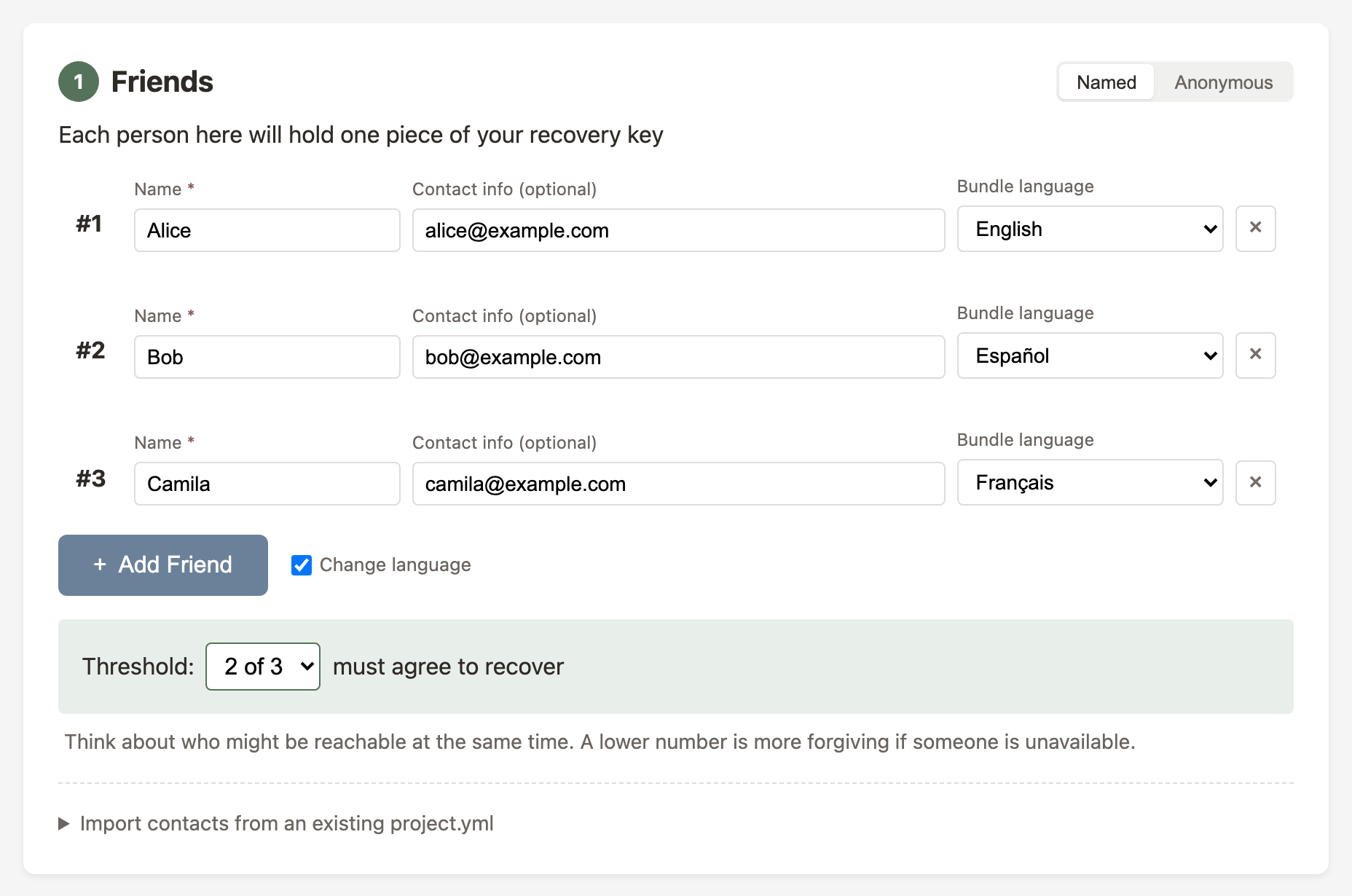
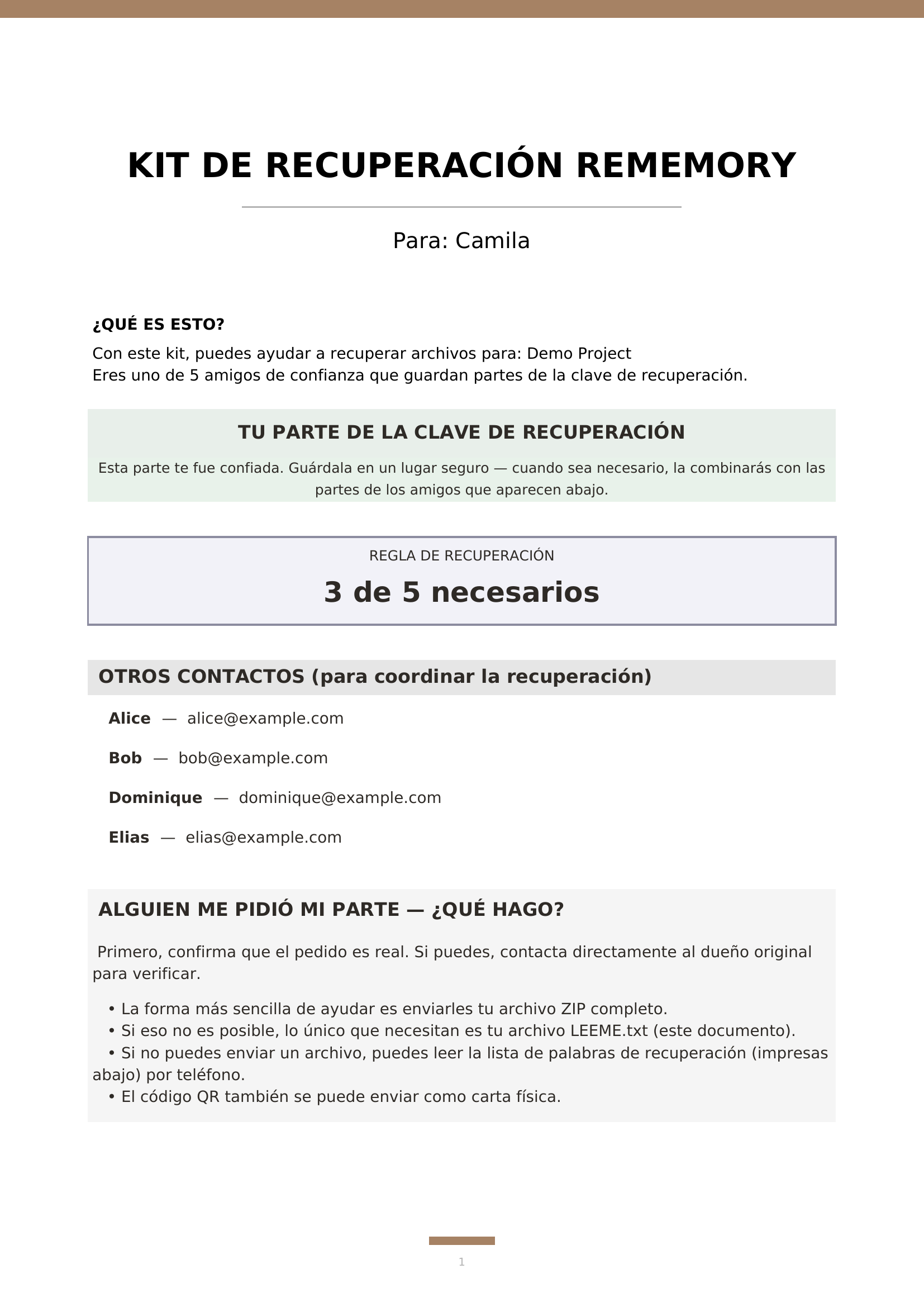
Each person can receive their bundle in their preferred language. Seven languages are supported: English, Spanish, German, French, Slovenian, Portuguese and Chinese (Taiwan).
How It Works
- Each friend entry has a Bundle language dropdown
- "Default" uses the current UI language
- Override per person to mix languages
- recover.html opens in the selected language
- Anyone can switch languages at any time
Advanced: Time-Delayed Recovery
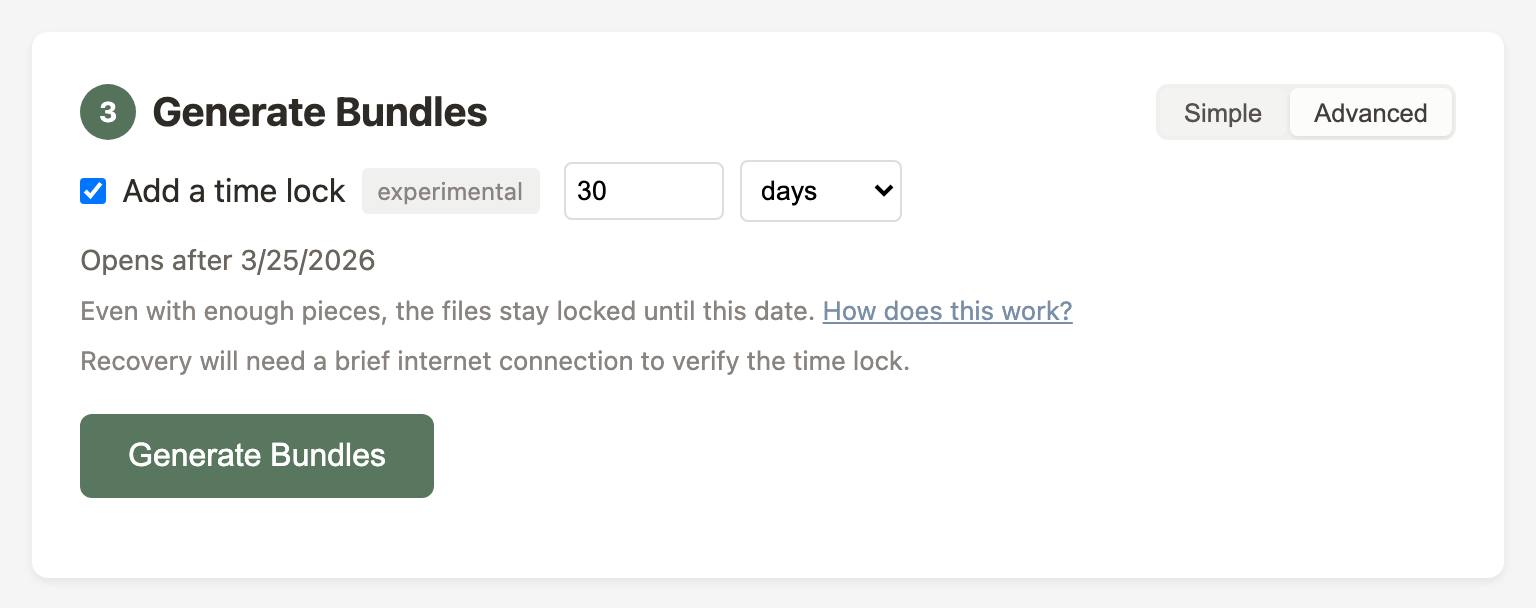
You can set a waiting period when creating bundles. Even if your friends combine their pieces early, the files stay locked until the date you chose — 30 days, 6 months, a specific date.
How to Enable
In the bundle creator, switch to Advanced mode and check Add a time lock. Choose how long the files should stay locked — up to two years.
The two-year limit is deliberate. Time locks depend on the League of Entropy continuing to operate, and we don't think it's responsible to lock your files behind a longer bet on external infrastructure. If you need a longer duration and understand the trade-off, the CLI has no cap: rememory seal --timelock 5y.
Recovery
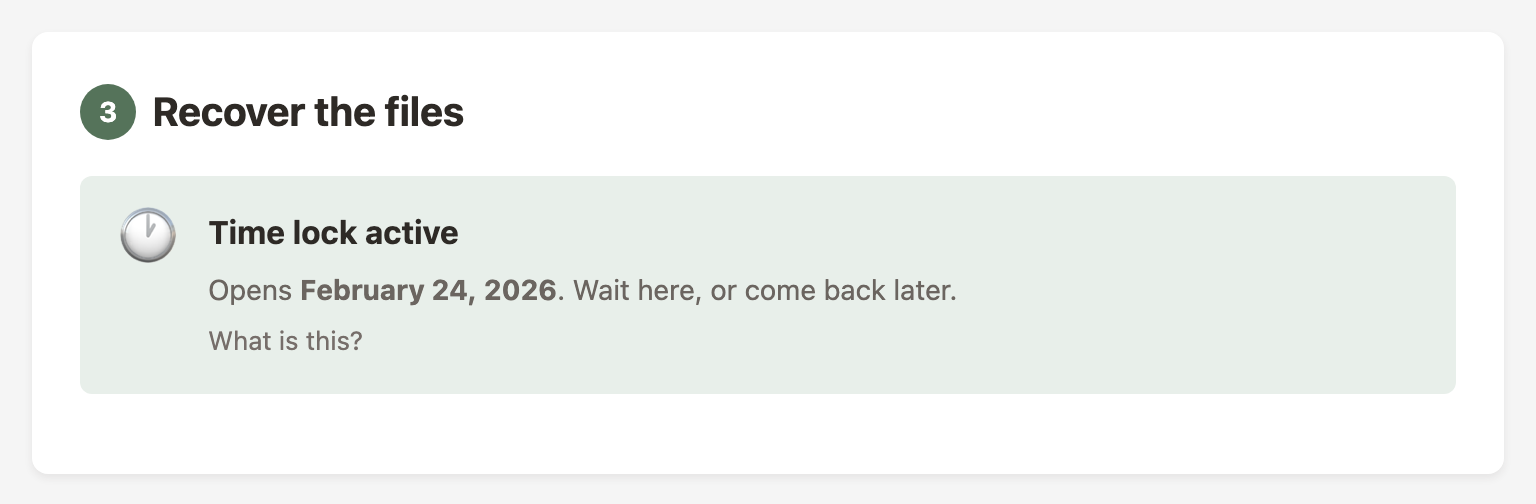
When someone opens a time-locked bundle before the date, the recovery tool shows a waiting notice. Once the time passes, recovery proceeds normally.
Opening a time-locked archive requires a brief internet connection. Your files aren't sent anywhere — the connection verifies that enough time has passed. Without the time lock, recovery is fully offline.
How It Works
The League of Entropy produces a new cryptographic value every 3 seconds. Each value is numbered. You can predict which number corresponds to a given time, but the value for that number can't be produced early — not by anyone, including the network operators.
When you create a time-locked bundle, the archive is encrypted to a specific future value. The key to open it doesn't exist yet. It will come from the network when that moment arrives.
For a deeper look at the cryptography behind this, see the drand timelock encryption documentation.
Self-Hosting
ReMemory can also run as a web app on your own server using rememory serve. The server provides the same creation and recovery tools through a browser. Friends only need their share — the encrypted archive is served automatically.
This is an advanced option for people who already run a homelab or want a shared web UI. The offline bundles remain the primary way to use ReMemory and work without any server. See the self-hosting guide on GitHub for details.